
Pause a Google Ads keyword when it spends money without generating conversions. Around 100 clicks or 30 days without a conversion can serve as a starting point. But your target CPA and conversion data should guide the final decision.
So, how do you know when a keyword has had enough time to prove itself? This guide covers the warning signs to look for and the settings to check before pausing a keyword. You’ll also learn how to put the freed-up budget to better use.
Why Would a Business Pause Google Ads Keywords?

As we covered above, a keyword that keeps getting clicks without generating leads or sales may need to be paused. The same goes for keywords that attract people who aren’t looking for what you offer.
For example, someone searching for a free template might click your ad, check your pricing, and leave. After all, they’re looking for a free resource, and not a paid product or service. Better ad copy won’t fix that mismatch because the searcher wants something you don’t offer for free.
That’s not all. A keyword can generate leads or sales at a cost that’s too high to sustain. For instance, if a keyword consistently costs $150 per lead but your target is $50, keeping it active can make your ad spend less profitable.
Pausing these keywords helps you avoid wasting money on clicks that are unlikely to bring in customers. It also leaves more room in your budget for keywords that generate leads and sales at a cost you can afford.
Warning Signs: When Keyword Performance Drags Google Ads Performance Down

Not every keyword that underperforms needs to be paused. Sometimes, a quick check can reveal a problem you can fix without giving up on the keyword.
Here are three warning signs to look for.
1. Search Terms That Don’t Match Your Offer
Your ads might show up for searches that have nothing to do with what you sell.
For example, say you sell paid accounting software. Someone searching for free accounting templates probably isn’t looking to buy it. So if your ads keep showing up for these searches, you could be spending money on clicks that are unlikely to bring in customers.
To see if this is happening, open your search terms report in Google Ads. It shows the searches that triggered your ads. If you spot irrelevant searches, add them as negative keywords to stop your ads from appearing for those terms.
2. Your Conversion Rate Starts Falling
A keyword might have brought in plenty of leads last month, only to struggle this month. Before you pause it, find out what’s changed.
Start by comparing its conversion rate over two periods of similar length, such as the last 30 days and the previous 30 days. Make sure both periods have enough clicks and time for conversions to come through.
Next, look at your ad and landing page. Ask yourself:
- Did you change the wording?
- Does the page still match what people are searching for?
- Has a competitor started offering a better deal?
These checks can help you spot a problem you can fix before giving up on the keyword.
3. A Keyword’s Performance Suddenly Changes
Sometimes, a keyword’s performance takes a sharp turn even when you haven’t changed anything in your campaign. You might see fewer impressions, fewer clicks or a sudden jump in cost per click.
The first step is to find out which number changed. Each one can point to a different problem.
For example, fewer impressions could mean fewer people are searching for that term. A jump in cost per click could mean you’re facing tougher competition or your bidding strategy has changed how much you pay.
Check what happened around the time the numbers changed. You might find a reason to adjust your campaign rather than pause the keyword altogether.
Check Your Keyword Targeting Before You Pause It
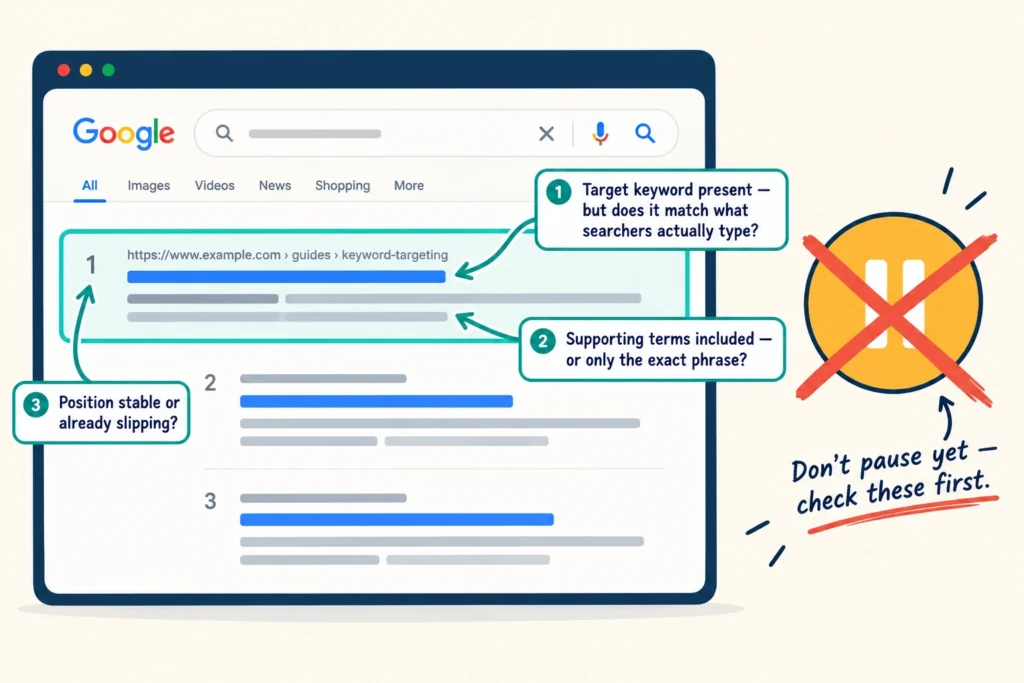
You’ve spotted a warning sign, but does the keyword itself deserve the blame? Check these three areas in your Google Ads account to find out before you decide to pause it.
Check Which Searches Trigger Your Ads
Open your Google Ads search terms report to see what people searched for before clicking your ads. You might find that a keyword is attracting searches from people who have no intention of buying what you sell.
For example, if you sell paid accounting software, searches for free accounting templates probably won’t bring you many customers. Add relevant negative keywords to stop your ads from appearing for those searches.
Check Your Keyword Match Types
Google Ads lets you choose how closely a person’s search must relate to your keyword before your ad can appear. These settings are called keyword match types, and there are three: broad, phrase and exact match.
Broad match reaches the widest range of related searches, while phrase and exact match give you more control over which searches can trigger your ads.
If your search terms report shows that broad match is attracting irrelevant traffic, try a more restrictive match type. You could cut wasted spend while still reaching people looking for what you offer. For a closer look at how each option works, see Google’s guide to keyword match types.
Review Your Negative Keywords
Negative keywords stop your ads from appearing for searches containing terms you want to exclude. For example, a paid software provider might exclude “free” to avoid clicks from people looking for free alternatives.
To find other searches you want to exclude, return to your search terms report. Look for queries that don’t match your offer, then add relevant words or phrases as negative keywords. Be careful not to exclude terms that potential customers might use, though, as overly broad exclusions could prevent your ads from reaching them.
Once you’ve corrected any targeting problems, give the keyword enough time to collect fresh data. If it still struggles to generate results after that, you have a stronger reason to consider pausing it.
Find Better Keywords to Replace the Ones You Pause
Once you’ve decided to pause a keyword, you can look for other searches that could bring more qualified traffic to your campaign. Start with these three sources to find new keyword ideas worth testing.
| Replacement option | Why it could work | Where to start |
|---|---|---|
| Long-tail keywords | More specific searches can reveal clearer buying intent, although search volume might be lower. | Google Keyword Planner |
| Competitor keywords | Competitor research can uncover relevant search terms you haven’t considered targeting. | SEMrush or Ahrefs |
| Keywords based on customer needs | Think about the problems your product solves and the terms potential customers might use when looking for a solution. | Customer questions, sales enquiries and Google Keyword Planner |
You don’t need to add every promising keyword you find. Choose a small batch that fits your offer, then monitor clicks, costs and conversions to see which ones deserve more budget.
Put Your Budget Back to Work With Smarter Paid Search Management
Now, over to you. Have you ever paused a Google Ads keyword that was eating into your budget without bringing in conversions? What did you do next?
Let us know in the comments. And if you’re struggling to get the most out of your Google Ads budget, KC Freedom can identify opportunities to improve your campaign performance.
Get in touch to discuss our paid search management services for Brisbane businesses.