
Reading your Google Ads results means checking five core metrics: impressions, clicks, cost per click, conversions, and cost per conversion.
But when you’re new to this, those five metrics sit inside a dashboard packed with dozens of numbers, which may feel like you’ve opened a statistics textbook instead of an ad platform. It’s because most of those numbers are just noise.
The relief? You don’t need a marketing degree to understand what’s happening with your ads. This guide breaks down exactly:
- The metrics that deserve your attention for your campaign
- Where to spot them inside your Google Ads dashboard
- What each metric reveals about your performance
By the end, you’ll stop refreshing your data every hour and start making smart decisions instead. So, let’s dig in.
What Your Google Ads Dashboard Is Actually Telling You?
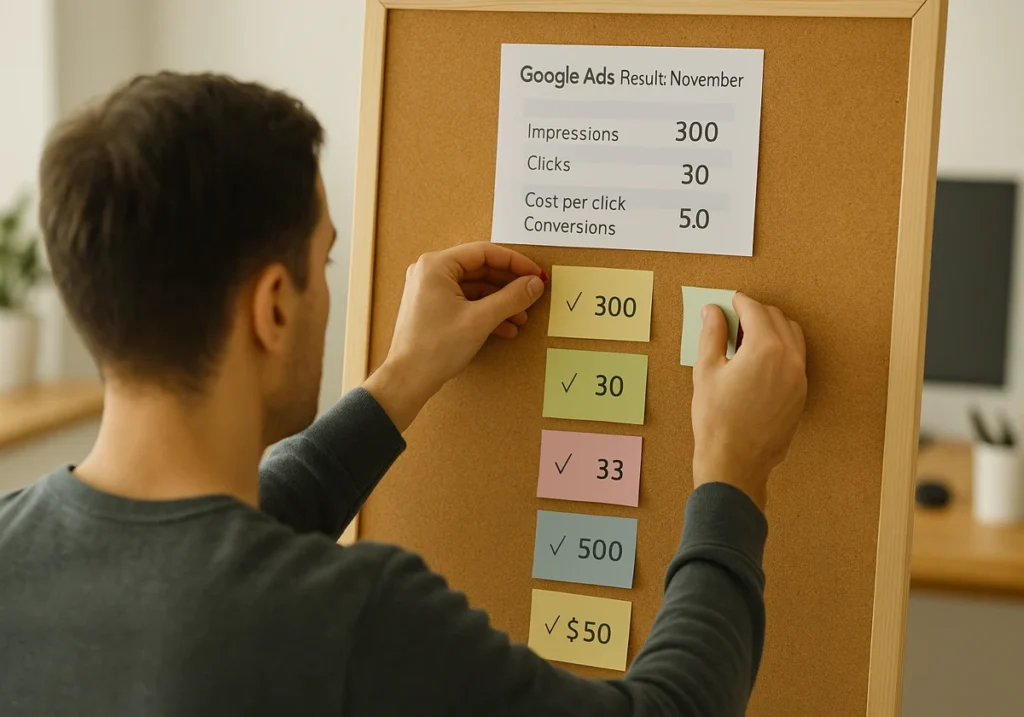
Your Google Ads dashboard tells you three main things:
- How often have your ads appeared
- How many people clicked
- What those clicks cost you
Once you understand those basics, the next thing you’ll notice when you log in is rows of campaign data that update throughout the day.
And before we break down each metric in detail, let’s explore a quick guide to help you make sense of what you’re about to see.
Impressions and Clicks: The Google Ads Basics Everyone Misreads
Impressions count how many times your ad appeared, not how many unique people saw it. If someone searches for “Brisbane plumber” three times today, that’s three impressions for your search ads.
Meanwhile, clicks show that someone was interested enough to visit your website. But here’s the thing: one person can click your ad multiple times, which inflates your numbers. And that’s why your click-through rate is valuable, because it reveals whether your headline pulls people in or gets ignored completely.
Where to Find Your Campaign Results Each Day
You can find campaign results live under the Campaigns tab with performance data for your active Google Ads campaign.
The Overview page of this campaign gives quick snapshots of your targeting and spend. But visiting individual campaigns reveals what’s driving your budget down and which ads are bringing traffic to your site.
Besides the Overview page, Custom columns let you add specific metrics without scrolling through Google’s cluttered default dashboard. With this, you can track conversions, cost per lead, or any other measurement that is significant to your business.
Why Some Metrics Take Longer to Show Up
Some metrics stay at zero for days because Google Ads needs time to collect and process data from different sources.
For example, account statistics like clicks, conversions, and impressions are delayed by less than 3 hours in most cases. And, imported conversions from your CRM won’t show immediately if there’s a sync delay built in.
These delays occur because the data needs time to move from your system back to Google. And attribution windows extend that delay, since some conversions are credited days after the original click (especially in longer sales cycles).
Making Sense of Your First Campaign Numbers

We’ve seen most new advertisers check their Google Ads account 15 times on day one, then panic when the numbers don’t match their expectations. When that happens, the first campaign often looks confusing at a glance.
Here are 3 reports that help you see whether your search ads are working or wasting your budget:
What to Check | Why It’s Significant | What You’ll Find |
|
Search Terms Report |
Shows what people actually typed before clicking your ads and which keywords triggered them | Sometimes you’ll find irrelevant searches eating your spend. From our experience managing Brisbane retail campaigns, we’ve seen businesses in the auto industry pay $500 on clicks from users searching “free” versions of their paid product. That’s why, track what’s driving traffic to optimise your targeting. |
|
Time-of-Day Performance |
Some hours are wasted on money, while others are spent on driving leads and conversions | A law firm might get clicks at midnight where the cost per click runs high, but those searches rarely become clients. Meanwhile, their 9 AM to 3 PM slot might generate half their leads at a lower cost per conversion. So, discover which hours bring relevant customers searching with intent. |
|
Desktop vs Mobile |
The same ad copy performs differently across devices and targeting strategies | Mobile users might click more but convert less if your web page loads slowly. And companies often find that their app or website performs better on one device. Track these patterns to focus your bidding strategy on delivering conversions. |
Verdict: Check these three reports during your first week, and you’ll know exactly where your campaign money is going (and whether it’s worth it).
Cost Per Click vs Cost Per Conversion: Which One Converts More?
The best part about understanding these two metrics is that you’ll stop wasting money on clicks that never make customers.
So what’s the real deal here? Most marketers track the wrong numbers when they measure their digital advertising performance. And that gap between what Google Ads shows you and what is truly important to your business is where most mistakes happen.
We want you to avoid such mistakes. So, let’s learn those differences.
Metric | What It Measures | Why Brands Focus On It | Real World Example |
|
Cost Per Click |
What you pay each time users click your search ads |
Shows if your keywords are expensive, but tells you nothing about sales or leads | Imagine a company spends $3 per click and gets 150 people to their website. That’s $450 spent, but the truth is, most of them don’t become paying clients. |
|
Cost Per Conversion |
What do you spend to get one customer, lead, or sale through your campaign |
This number reveals if your Google Ads work profitably for your industry | Now, the same company gets 8 conversions from those 150 clicks. That’s $56 cost per conversion. If their average sale is $200, they’re making money. |
Performance max campaigns and PPC strategies aren’t your cup of tea if numbers stress you out.
Pro tip: If your cost per conversion stays under what you earn per customer, your ads become a dependable way to grow. So, create conversion tracking before you optimise anything else.

The Metrics That Show If Your Ads Are Working
Now that you know what the basic numbers mean, let’s look at the metrics that tell you if people are actually buying.
Conversion Tracking Reveals Real Results
Conversion tracking follows users from an ad click to a purchase. It connects your keywords and ad copy to actual business outcomes (seriously, flying blind with a $2000 monthly budget is rough).
Without it, you’re guessing which Google Ads campaigns may never become sales or leads. That’s why set up conversion tracking for phone calls, form fills, and purchases to see your complete customer journey across search results and video ads.
For example, a Brisbane agency discovered most of their conversions came from YouTube video ads, not their search campaigns. That data changed where they spent their entire budget.
Low Conversion Rates Signal Landing Page Problems
Usually, the average conversion rate across all industries for search ads is 4.2%, while most Google Ads campaigns see conversion rates between 2% to 5%. So, if yours is sitting below 2%, something’s probably off with your landing page.
And what’s more interesting is that if your ad mentions a specific product but the page displays everything, people bounce immediately. Marketers call this “message match,” and it becomes a tool that separates relevant ads from wasted spend.
The solution to this problem is creating a clear call to action on your page.
Once that’s in place, the next thing that affects conversions is how well the page performs. Our tests with Performance Max campaigns showed that pages loading in under 2 seconds convert three times better.
Reading Your Bidding Strategy Performance Without Guessing
Your bidding strategy determines how Google Ads spends your budget across different auction opportunities throughout the day.
Manual bidding gives control but requires monitoring, and automatic bidding adjusts based on conversion data and learns which searches bring the best leads according to your budget. From there, you can look at average position and impression share to see whether your bids are competitive.
If you’re showing up in search results but getting low clicks, focus on improving your ad. On the other hand, if you’re getting clicks but no conversions, then optimise your landing page strategy instead.
Stop Refreshing Your Dashboard and Focus on Strategic Moves That Count
You might be wondering how often you should actually check your Google Ads results. The answer is weekly, not hourly. Because daily refreshes just stress you out without giving campaigns enough time to show real patterns.
To get basics right, focus on cost per conversion first, then work backwards to improve your ads and targeting. Besides, if conversion tracking isn’t set up yet, do that before you spend another dollar of your budget.
Reading Google Ads data gets easier the more you do it. But if you’d rather hand this off to someone who lives and breathes performance marketing, KC Freedom can help you with this.
Book a free consultation, and we’ll show you exactly where your ad spend is going and how to make it work harder for your business.